SYSTEM lets you configure stuff like
pad-velocity or how your midi and sync ports behave. for quick access, you can learn the numbers, like typing 301 and ENTER to turn velocity on. now you’re in expert mode!
pad-velocity or how your midi and sync ports behave. for quick access, you can learn the numbers, like typing 301 and ENTER to turn velocity on. now you’re in expert mode!
system settings
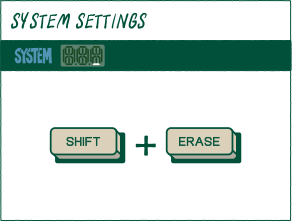
to customize the behavior of your Riddim press (shiftr) and (eraser) to access system settings.
navigate
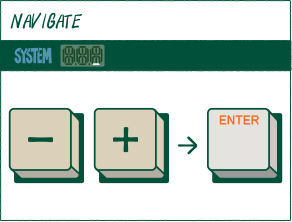
press (minus) or (plus) to navigate through the settings, and then ENTER to select.
enter
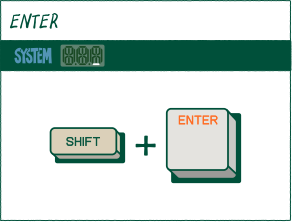
to navigate back to the previous page you can press (shiftr) and ENTER.
to customize the behavior of your Medieval press (SHIFT) and (ERASE) to access system settings.
press (minus) or (plus) to navigate through the settings, and then ENTER to select.
to navigate back to the previous page you can press (SHIFT) and ENTER.
alternatively you can also use the following codes to directly access the setting once in system settings.
code
path
setting
100
mid
clk
off
MIDI Clock Off (default)
101
mid
clk
in
MIDI Clock in (receive only)
102
mid
clk
out
MIDI Clock Out (send only)
110
mid
chn
all
Receive all channels, send on MIDI channel 1. (default)
111
mid
chn
ch.1
Receive and send on MIDI Channel 1
112
mid
chn
ch.2
Receive and send on MIDI Channel 2
113
mid
chn
ch.3
Receive and send on MIDI Channel 3
114
mid
chn
ch.4
Receive and send on MIDI Channel 4
115
mid
chn
ch.5
Receive and send on MIDI Channel 5
116
mid
chn
ch.6
Receive and send on MIDI Channel 6
117
mid
chn
ch.7
Receive and send on MIDI Channel 7
118
mid
chn
ch.8
Receive and send on MIDI Channel 8
119
mid
chn
ch.9
Receive and send on MIDI Channel 9
120
mid
chn
ch.10
Receive and send on MIDI Channel 10
121
mid
chn
ch.11
Receive and send on MIDI Channel 11
122
mid
chn
ch.12
Receive and send on MIDI Channel 12
123
mid
chn
ch.13
Receive and send on MIDI Channel 13
124
mid
chn
ch.14
Receive and send on MIDI Channel 14
125
mid
chn
ch.15
Receive and send on MIDI Channel 15
126
mid
chn
ch.16
Receive and send on MIDI Channel 16
127
mid
chn
off
only send midi if midi channel assigned in sound edit
130
mid
thr
off
disable MIDI thru
131
mid
thr
on
enable midi thru (Forwards MIDI signals, in→ out)
140
mid
rst
off
do not reset midi controllers at stop (default)
141
mid
rst
on
reset midi controllers at stop
200
syn
in
8
Sync In Rate 1/8th Note
201
syn
in
16
Sync In Rate 1/16th Note (default)
202
syn
in
24
SYNC IN RATE 24 PULSES PER QUARTER NOTE
210
syn
out
8
SYNC OUT RATE 1/8TH NOTE
211
syn
out
16
Sync Out Rate 1/16th Note (default)
212
syn
out
24
Sync Out Rate 24 Pulses per Quarter Note
300
pad
vel
off
PAD VELOCITY OFF (DEFAULT)
301
pad
vel
hi
PAD VELOCITY HIGH. PLAY WITH A SOFT TOUCH
302
pad
vel
lo
PAD VELOCITY LOW. FOR VIGOROUS PLAY STYLES
310
pad
sca
12t
12 TONE EQUAL TEMPERAMENT (DEFAULT)
311
pad
sca
maj
MAJOR (IONIAN MODE)
312
pad
sca
min
MINOR (AEOLIAN MODE)
313
pad
sca
dor
DORIAN MODE
314
pad
sca
phr
PHR PHRYGIAN MODE
315
pad
sca
lyd
LYD LYDIAN MODE
316
pad
sca
mix
MIX MIXOLYDIAN MODE
317
pad
sca
loc
LOCRIAN MODE
318
pad
sca
ma.p
MAJOR PENTATONIC
319
pad
sca
mi.p
MINOR PENTATONIC
320
pad
key
c
SCALE KEY C (DEFAULT)
321
pad
key
c#
SCALE KEY c#
322
pad
key
d
SCALE KEY D
323
pad
key
d#
SCALE KEY d#
324
pad
key
e
SCALE KEY e
325
pad
key
f
SCALE KEY f
326
pad
key
f#
SCALE KEY f#
327
pad
key
g
SCALE KEY g
328
pad
key
g#
SCALE KEY g#
329
pad
key
a
SCALE KEY a
330
pad
key
A#
SCALE KEY a#
331
pad
key
b
SCALE KEY b
340
pad
aud
on
enable sample auditioning when tweaking values
331
pad
aud
off
disable sample auditioning when tweaking values
400
seq
met
on
Enable metronome at record+play
401
seq
met
rec
Enable metronome at record only (default)
410
seq
scn
tic
Change scene immediately (default)
411
seq
scn
bar
Sync scene changes with bar end
412
seq
scn
ptn
Sync scene changes with pattern end
420
seq
qsl
off
disable quick select mode
421
seq
qsl
on
enable quick select mode
440
seq
lop
off
song loop off
441
seq
lop
on
song loop on
450
seq
ply
bar
play from current bar
451
seq
ply
ptn
play from pattern start
500
smp
rec
lo
low sample recording rate - 26,250khz
501
smp
rec
mid
mid sample recording rate - 32,000khz
502
smp
rec
high
high sample recording rate - 46,875khz (default)
510
smp
usb
rec
usb audio input mode - sampler only (default)
511
smp
usb
mon
usb audio input mode - sampler + live monitoring
900
liv
fad
on
enable fader button in live mode
920
liv
fad
off
disable fader button in live mode
901
liv
key
on
enable keys button in live mode
921
liv
key
off
disable keys button in live mode
902
liv
snd
on
enable sound button in live mode
922
liv
snd
off
disable sound button in live mode
903
liv
mai
on
enable main button in live mode
923
liv
mai
off
disable main button in live mode
904
liv
tem
on
enable tempo button in live mode
924
liv
tem
off
disable tempo button in live mode
905
liv
sam
on
enable sample button in live mode
925
liv
sam
off
disable sample button in live mode
906
liv
tim
on
enable timing button in live mode
926
liv
tim
off
disable timing button in live mode
907
liv
fx
on
enable fx button in live mode
927
liv
fx
off
disable fx button in live mode
908
liv
era
on
enable erase button in live mode
928
liv
era
off
disable erase button in live mode
909
liv
rec
on
enable record button in live mode
929
liv
rec
off
disable record button in live mode
910
liv
edt
on
enable sound edit in live mode
930
liv
edt
off
disable sound edit in live mode
911
liv
cmt
on
enable commit in live mode
931
liv
cmt
off
disable commit in live mode
912
liv
lop
on
enable loop in live mode
932
liv
lop
off
disable loop in live mode
913
liv
chp
on
enable chop in live mode
933
liv
chp
off
disable chop in live mode
914
liv
t.c.
on
enable timing correct in live mode
934
liv
t.c.
off
disable timing correct in live mode
915
liv
out
on
enable output in live mode
935
liv
out
off
disable output in live mode
916
liv
sys
on
enable system in live mode
936
liv
sys
off
disable system in live mode
917
liv
fdr
on
enable the fader in live mode
937
liv
fdr
off
disable the fader in live mode
918
liv
met
on
enable metronome in live mode
938
liv
met
off
disable metronome in live mode
function
transmitted
recognised
notes
basic channel
mode
mode
velocity
aftertouch
pitch bend
control
change
change
program change
system exclusive
system
common
common
system
realtime
realtime
aux messages
default
changed
default
messages
altered
true voice
note on
note off
keys
channels
CC#0,32
CC#1
song position
song select
tune request
clock
commands
all sound off
reset all controllers
local on/off
all notes off
active sensing
system reset
1
1–16
mode 1
x
-
36-47 (group a)
48-59 (group b)
60-71 (group c)
72-83 (group d)
keys mode: 0-127
-
x
x
x
x
x
(0-127)
x
x
x
x
x
x
1
1–16
mode 1
x
-
36-47 (group a)
48-59 (group b)
60-71 (group c)
72-83 (group d)
keys mode: 0-127
-
x
x
x
(0-127)
x
x
x
x
x
x
x
x
memorized
bank select
mod wheel
use bank select to reach all sounds 1-999
identity request+reply, proprietary messages
Mode 1: OMNI ON, POLY
Mode 2: OMNI ON, MONO
Mode 3: OMNI OFF, POLY
Mode 4: OMNI OFF, MONO
Mode 2: OMNI ON, MONO
Mode 3: OMNI OFF, POLY
Mode 4: OMNI OFF, MONO
MIDI note number
note name
group
pad
36
c2
a
.
37
c#2
a
0
38
d2
a
enter
39
d#2
a
1
40
e2
a
2
41
f2
a
3
42
f#2
a
4
43
g2
a
5
44
g#2
a
6
45
a2
a
7
46
a#2
a
8
47
b2
a
9
48
c3
b
.
49
c#3
b
0
50
d3
b
enter
51
d#3
b
1
52
e3
b
2
53
f3
b
3
54
f#3
b
4
55
g3
b
5
56
g#3
b
6
57
a3
b
7
58
a#3
b
8
59
b3
b
9
60
c4
c
.
61
c#4
c
0
62
d4
c
enter
63
d#4
c
1
64
e4
c
2
65
f4
c
3
66
f#4
c
4
67
g4
c
5
68
g#4
c
6
69
a4
c
7
70
a#4
c
8
71
b4
c
9
72
c5
d
.
73
c#5
d
0
74
d5
d
enter
75
d#5
d
1
76
e5
d
2
77
f5
d
3
78
f#5
d
4
79
g5
d
5
80
g#5
d
6
81
a5
d
7
82
a#5
d
8
83
b5
d
9
some parameters on RIDDIM can be controlled with an external controller. to do so you must use a midi control change, also known as a “midi cc”.
below is a list of all the parameters that can be adjusted with midi control changes.
MIDI cc number
range
function
1
1-27
vibrato
12
1-27
fx parameter (knobx)
13
1-27
fx parameter (knobY)
64
1-27
sustain pedal for key and legato voices

