ep–127
multi fx
guitar pedal
guitar pedal
user
guide
guide
ver 1.1.5
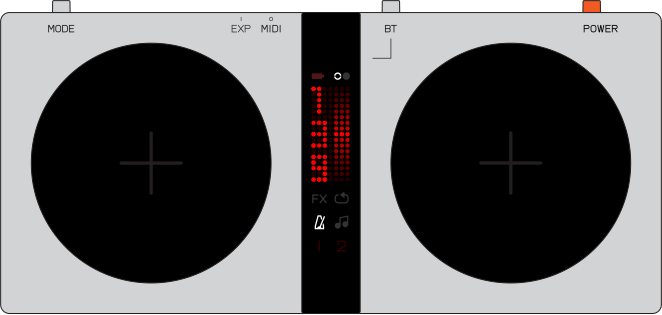
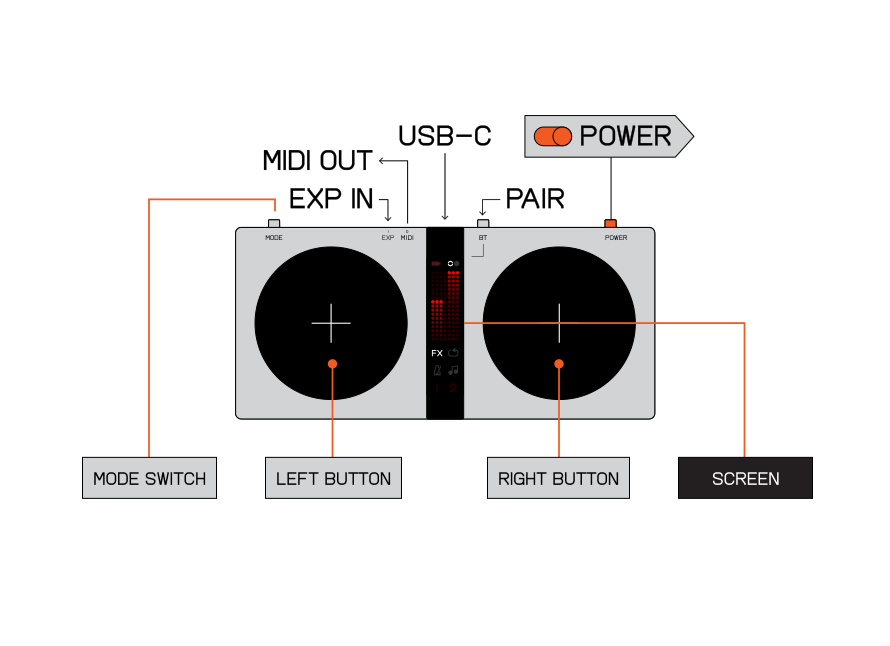
kopedal is a wireless midi and hid controller, designed to expand the functionality of EP–35. when paired with EP–35 it unlocks additional control over fx, a simple but fun looper and a metronome. in addition it features an expression pedal input that can be used to adjust the volume of the selected channel on EP–35.
connect it wirelessly to the teenage engineering field series, as well as compatible synth apps, DAWs and other gear. a 3.5 mm MIDI output controls synths and pedalboards. HID state turns the buttons into controls for video playback, presentations and other shortcuts that you map on your computer.
notice. read this first.
battery information:
fcc statement:
note: this equipment has been tested and found to comply with the limits for a class b digital device, pursuant to part 15 of the fcc rules. these limits are designed to provide reasonable protection against harmful interference in a residential installation. this equipment generates, uses and can radiate radio frequency energy and, if not installed and used in accordance with the instructions, may cause harmful interference to radio communications. however, there is no guarantee that interference will not occur in a particular installation.
- install only new batteries of the same type.
- make sure to only insert batteries in the correct polarity, as indicated in the battery compartment.
- do not mix old and new batteries.
- do not mix alkaline, standard (carbon-zinc) or rechargeable (nickel-cadmium or nickel-metal hydride) batteries.
- do not dispose of batteries in fire.
- batteries should be recycled or disposed of as per state and local guidelines.
fcc statement:
note: this equipment has been tested and found to comply with the limits for a class b digital device, pursuant to part 15 of the fcc rules. these limits are designed to provide reasonable protection against harmful interference in a residential installation. this equipment generates, uses and can radiate radio frequency energy and, if not installed and used in accordance with the instructions, may cause harmful interference to radio communications. however, there is no guarantee that interference will not occur in a particular installation.
if this equipment does cause harmful interference to radio or television reception, which can be determined by turning the equipment off and on, the user is encouraged to try to correct the interference by one or more of the following measures;
this device complies with part 15 of the fcc rules.
operation is subject to the following conditions;
caution: changes or modifications not expressly approved by the party responsible for compliance could void the user’s authority to operate the equipment.
ices statement
can ices-003 (b) / nmb-3 (b)
- reorient or relocate the receiving antenna
- increase the separation between the equipment and receiver
- connect the equipment into an outlet on a circuit different from that to which the receiver is connected.
- consult the dealer or an experienced radio/tv technician for help.
this device complies with part 15 of the fcc rules.
operation is subject to the following conditions;
- this device may not cause harmful interference, and
- this device must accept any interference received, including interference that may cause undesired operation.
caution: changes or modifications not expressly approved by the party responsible for compliance could void the user’s authority to operate the equipment.
ices statement
can ices-003 (b) / nmb-3 (b)
teenage engineering warrants that this product will be free from defects in material or workmanship for a period of 12 months from the date of teenage engineering’s shipment of the product to you, the customer. in the event of a defect covered by this limited warranty, teenage engineering will, at its option and free of charge to customer, repair, replace or refund the purchase price paid.
TEENAGE ENGINEERING MAKES NO OTHER EXPRESS WARRANTIES EXCEPT AS PROVIDED HEREIN, AND ANY AND ALL IMPLIED WARRANTIES OF MERCHANTABILITY OR FITNESS FOR A PARTICULAR PURPOSE SHALL ONLY BE IN EFFECT DURING THE 12 MONTH WARRANTY PERIOD PROVIDED HEREUNDER. TEENAGE ENGINEERING'S LIABILITY ON ANY WARRANTY CLAIM SHALL BE LIMITED TO THE ACTUAL PURCHASE PRICE PAID. TEENAGE ENGINEERING SHALL NOT BE RESPONSIBLE TO CUSTOMER OR ANY THIRD PARTY FOR ANY CONSEQUENTIAL, INCIDENTAL OR INDIRECT DAMAGES, INCLUDING BUT NOT LIMITED TO LOSS OF PROFITS, LOSS OF DATA, REVENUES, SALES, BUSINESS, GOODWILL OR USE.
TEENAGE ENGINEERING MAKES NO OTHER EXPRESS WARRANTIES EXCEPT AS PROVIDED HEREIN, AND ANY AND ALL IMPLIED WARRANTIES OF MERCHANTABILITY OR FITNESS FOR A PARTICULAR PURPOSE SHALL ONLY BE IN EFFECT DURING THE 12 MONTH WARRANTY PERIOD PROVIDED HEREUNDER. TEENAGE ENGINEERING'S LIABILITY ON ANY WARRANTY CLAIM SHALL BE LIMITED TO THE ACTUAL PURCHASE PRICE PAID. TEENAGE ENGINEERING SHALL NOT BE RESPONSIBLE TO CUSTOMER OR ANY THIRD PARTY FOR ANY CONSEQUENTIAL, INCIDENTAL OR INDIRECT DAMAGES, INCLUDING BUT NOT LIMITED TO LOSS OF PROFITS, LOSS OF DATA, REVENUES, SALES, BUSINESS, GOODWILL OR USE.
what does this limited warranty not cover?
teenage engineering has no obligation to repair, replace, or provide refunds in the following instances:
teenage engineering has no obligation to repair, replace, or provide refunds in the following instances:
- if the alleged defect arises because customer has altered or repaired the product without the prior written consent or authorization of teenage engineering;
- Tactile feedback may vary between buttons and is not considered a defect of the unit.
- if customer did not follow any applicable instructions for proper storage, usage, or maintenance of this product;
- if customer has failed to notify teenage engineering of any defect where the defect should have been reasonably apparent on inspection; or
- if customer fails to notify teenage engineering of the defect within 12 months of teenage engineering's shipment of this product to customer. this limited warranty does not cover the cost of shipping the defective product to teenage engineering for repair, or the cost of shipping the repaired or replacement product to you.
- how do customers receive warranty service? please call your teenage engineering customer service representative for details on how to raise an issue in relation to your product.
what's in the box
check that the following items
are included when you open the box
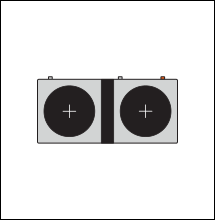
EP–127 kopedal unit
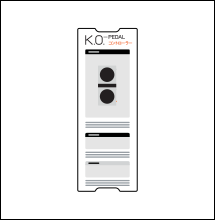
quick start guide
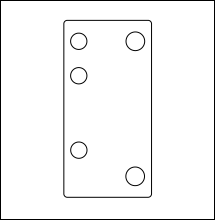
paper pulp tray
index
click on the section you
want to read more about
((1))
hardware overview
((2))
power on
((3))
guide conventions
((4))
connecting kopedal to EP–35
4.1
wireless connection to EP–35
4.2
wired connection to EP–35
((5))
the four modes
5.1
fx mode
5.2
looper mode
5.3
metronome mode
5.4
music playback mode
((6))
fx
6.1
understanding the screen
6.2
guitar
6.3
mic
((7))
using midi state with another device
7.1
wireless connection to your device
7.2
wired connection to your device
7.3
using kopedal as a midi device
((8))
using hid state
8.1
wireless connection to your device
8.2
wired connection to your device
8.3
using kopedal as a HID device
((9))
updating kopedal
((10))
midi output reference
((11))
technical specifications
((12))
credits
((1))
hardware overview
front
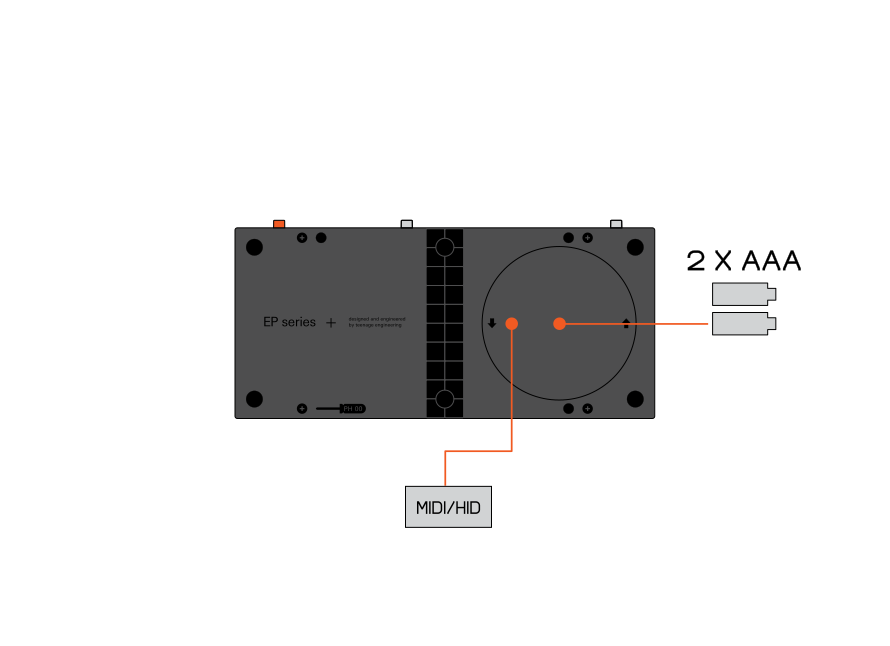
back
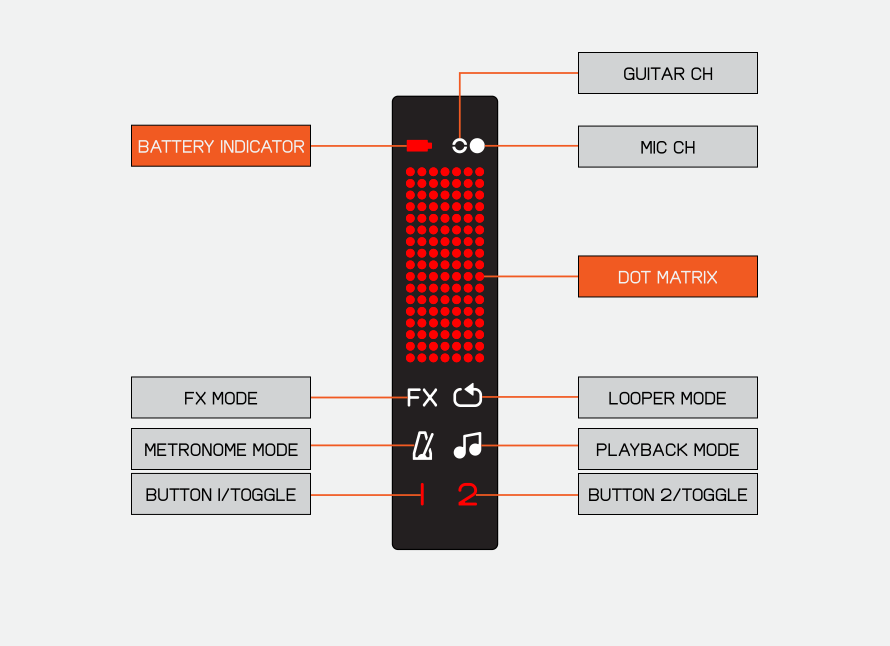
screen
((2))
power on
battery lid
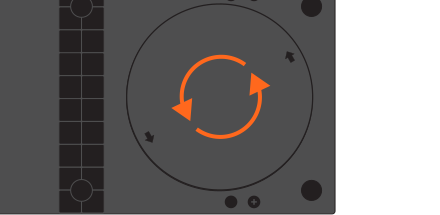
rotate the battery lid on the rear of kopedal counterclockwise to open it.
batteries
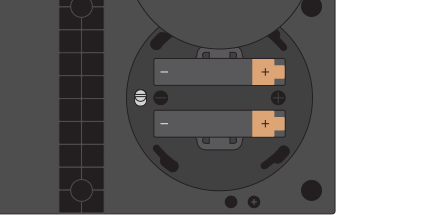
insert two AAA batteries.
usb cable
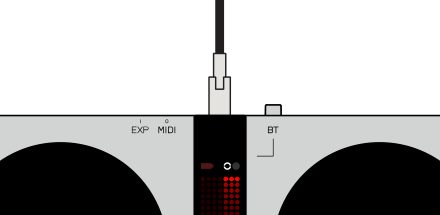
kopedal can also be powered with a usb–c cable.
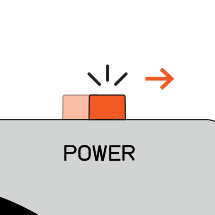
power on
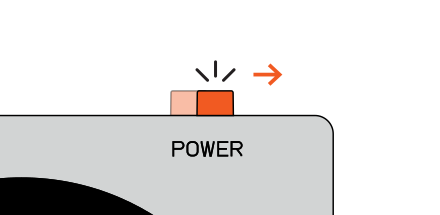
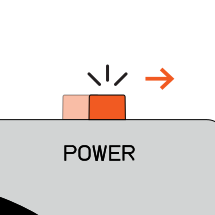
to turn on kopedal, slide the orange power switch to the right.
((3))
guide conventions
there are several ways of interacting with the buttons on kopedal. below we have outlined each of these interactions and how to perform them.
press
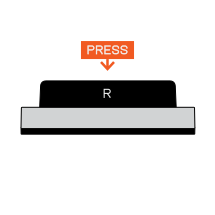
when a function requires/calls for a single press. a press is a single press and release.
double press
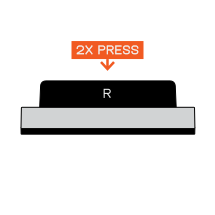
when a function requires/calls for a double press. it is two short, repeated presses.
tap
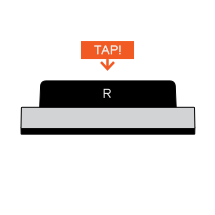
when a button should be tapped. a tap is a brief and repeated press.
force-press
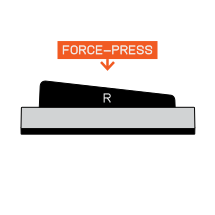
when a button should be force-pressed. To force-press the button, apply firm pressure to either the top or bottom edge.
actuate
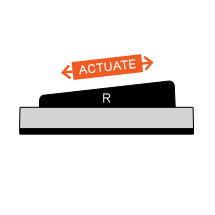
when a button should be actuated. rest the center of your foot in the middle of the button and rock forward and backward. The actuation provides a continuous reading.
hold
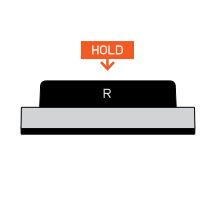
in some instances you will be required to hold a button down. to perform this action, press and hold the button.
dot matrix
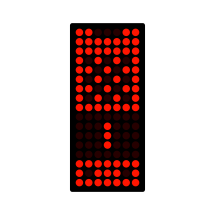
when an action is shown on the dot matrix display, a graphical representation of that action will be used.
icon view

other icons that appear on the display may be relevant and will be shown as follows.
((4))
connecting kopedal to EP–35
when in the midi state (selected with the switch inside the battery compartment) kopedal can pair with EP–35, allowing you to expand its functionality.
4.1
wireless connection to EP–35
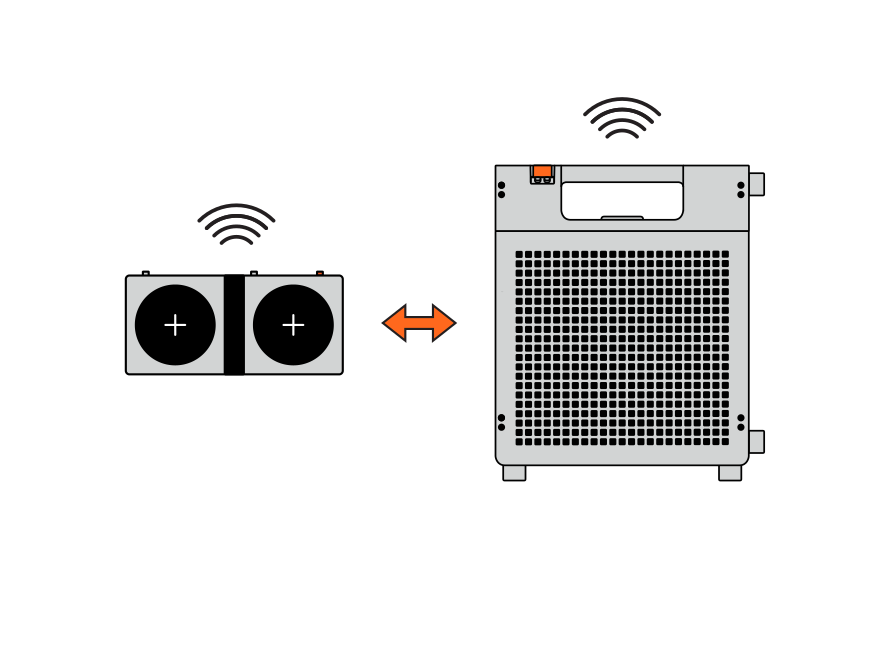
power on
to connect kopedal and EP–35 over a wireless connection, first power on kopedal.
activate bluetooth
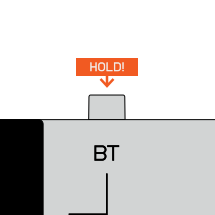
hold the BT button down until the two circles on screen pulsate.
turn on EP–35
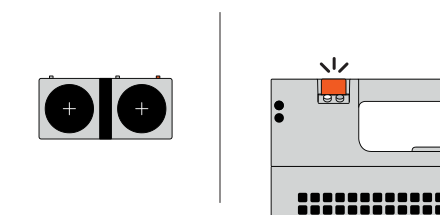
hold kopedal next to EP–35 then turn on EP–35.
paired
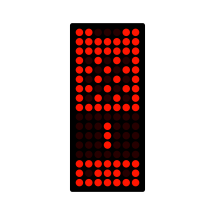
once kopedal pairs with EP–35, a graphic showing kopedal and EP–35 will appear on the dot matrix.
4.2
wired connection to EP–35
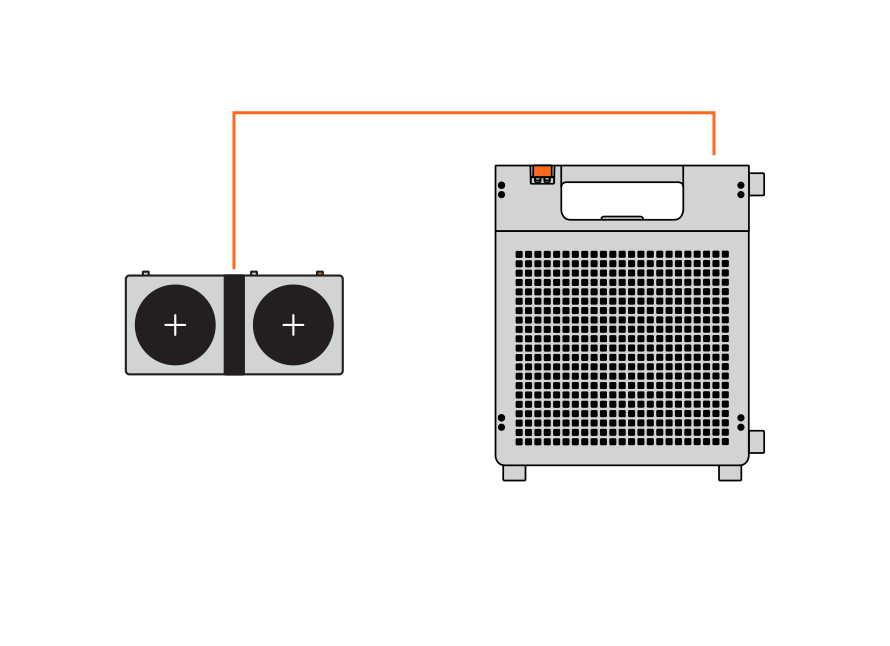
turn on EP–35
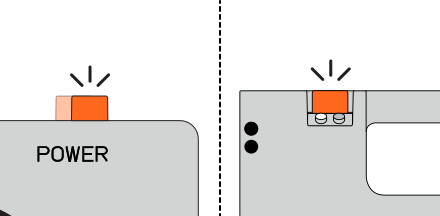
to connect kopedal and EP–35 over a wired connection, first power on kopedal and EP–35.
connect
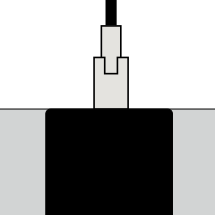
plug one end of a usb–c cable into the ep-plug port on EP–35 and the other end into the usb–c port on the top of kopedal.
paired
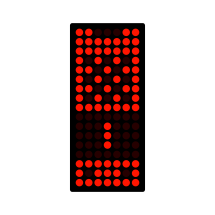
when connected, a graphic showing kopedal and EP–35 will appear on the screen.
((5))
the four modes
kopedal has four modes which can you cycle through with the mode button. each mode will allow for control over a different part of EP–35.
pressing the BT button will allow you to switch between controlling the guitar and mic channels on EP–35. this applies only in the fx and looper modes.
fx

the fx mode gives you expressive control over the fx applied to the guitar and microphone inputs.
looper

the looper mode unlocks the looping capability within EP-35. use it to create tracks by recording and overdubbing guitar and microphone parts.
metronome

the metronome mode allows you to set the tempo used for EP-35’s tempo dependent fx, as well as start and stop EP-35’s built-in metronome.
music playback

the music playback mode offers some convenient controls over the music playback for devices connected to EP-35 over bluetooth or compatible ep-plug port accessories such as the amptenna or usb drive.
5.1
fx mode
controlling the fx
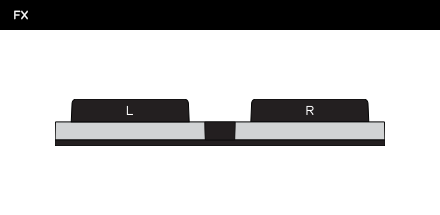
when in fx mode, the left and right buttons will allow you to adjust some additional fx parameters on EP-35. you can see the full list of fx and their parameters in the fx chapter.
5.2
looper mode
recording a loop
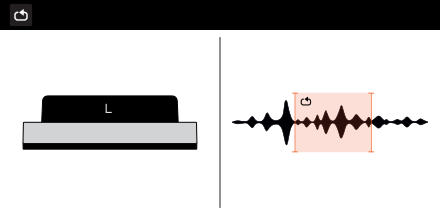
when in looper mode, press the left button to start recording a loop, press it again to stop recording and set the end point of the loop. the maximum length of a loop is 20 seconds.
overdub
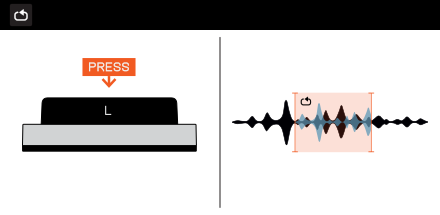
to record a layer over your existing loop just press the left button to start and press it again to stop overdubbing. you can overdub as many times as you want but cannot remove an overdubbed part.
playback modes
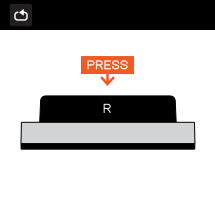
while a loop is playing press the right button to cycle through three loop playback modes: forwards, backwards and half speed.
playback control
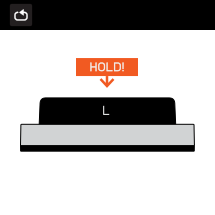
press and hold the right button for to pause the loop. when paused, press the left button to play the loop.
deleting a loop
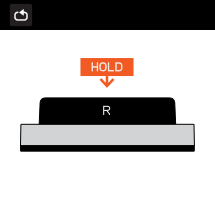
press and hold the right button for 5 seconds to delete your loop.
with usb drive
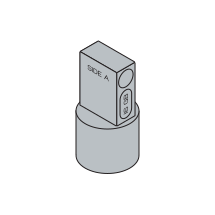
when using the usb drive, the looper mode will snap to the tempo of the current drum rhythm or track that is playing on the usb drive. this allows you to create seamless loops over top of the drum beats playing on the usb drive. tracks with this function will show a small x on the display.
5.3
metronome mode
tap tempo
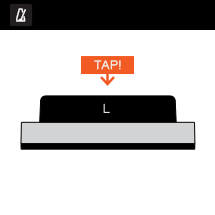
when in metronome mode, tap the left button repeatedly to set the tempo of EP-35’s clock, this determines the speed of the metronome as well as the tempo of the fx.
start/stop
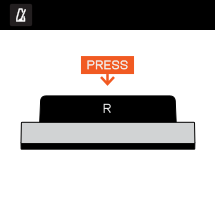
press the right button to start and stop the metronome on EP-35.
midi clock
when the metronome is running kopedal will also transmit midi clock to synchronize connected devices.
nudge clock
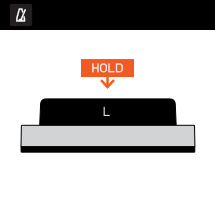
press and hold the left button then force-press the top or bottom of the button to adjust the tempo up or down in 1 bpm steps.
5.4
music playback mode
the left button
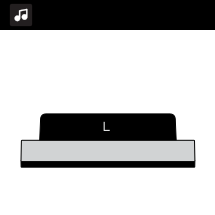
when in music playback mode, the left button will function exactly the same as the mode button on EP-35.
skip
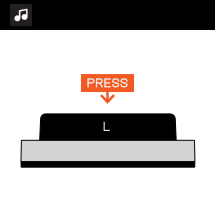
press the left button to skip or seek forward.
play/pause
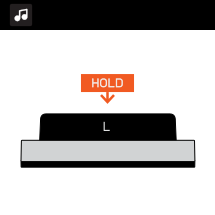
press and hold the left button to play or pause playback.
rewind
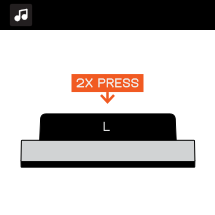
double press the left button to return to the previous track or seek backwards.
volume control
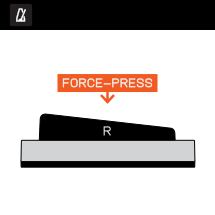
force-press the top or bottom of the right button to control the volume of a connected bluetooth device.
ep-plug port
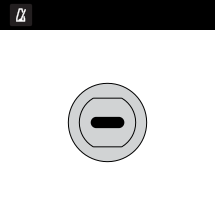
if an accessory is connected to the ep–plug port, the right button will adjust its volume instead.
((6))
fx
kopedal allows for finer control over EP-35’s built-in fx.
6.1
understanding the screen
there are five types of effect parameter on kopedal, each with its own screen graphic to help you understand how it functions.
toggle
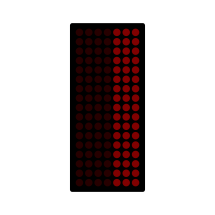
when the fx can be toggled on and off the button icons will blink and the dot matrix for that side will be blank. once toggled the entire column will be filled in at half brightness.
toggle/modulate
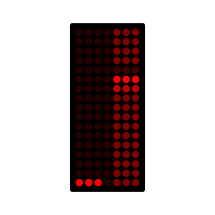
when the fx can be toggled on and off as well as modulated the button icons will blink and the dot matrix for that side will have a single line of three dots. once toggled the entire column will be filled in at half brightness. modulating it will cause the three dots to move up or down.
tap tempo/modulate
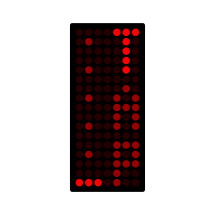
when the fx can have its tempo adjusted by tapping the tempo, five evenly spaced, vertical dots will appear on the dot matrix. tapping the tempo will light up the word “tap” and modulating it will cause the three dots to move up and down.
modulate only
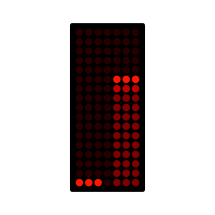
when the fx can only be modulated but not toggled or tapped then three dots will appear along the bottom of the dot matrix. modulating the fx will move the three dots up and down while filling in the dots below them.
actuate
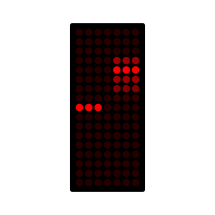
some fx can be actuated, which allows you to move continuously between two states. fx that should be actuated will have three dots in the middle of the dot matrix that will move up and down when the button is actuated.
6.2
guitar
guitar fx
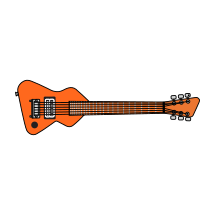
when in fx mode with the guitar channel selected, the two buttons on kopedal will control the current guitar fx on EP-35.
6.2.1
clean
chorus on/off
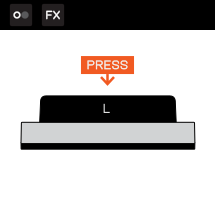
press the left button to turn the chorus on or off.
chorus rate
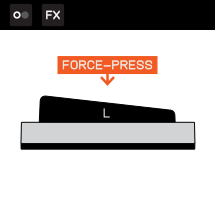
force-press the top of the left button to modulate the chorus rate and depth.
tap tempo
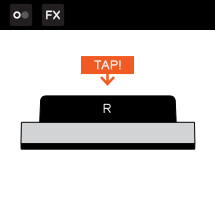
tap the right button repeatedly to set the delay tempo.
delay feedback
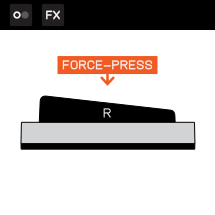
force-press the top of the right button to modulate the delay feedback and its mix value.
6.2.2
twang
toggle boost
press the left button to toggle boost.
tap tempo
tap the right button to set the delay tempo.
tremolo rate
force-press the top of the right button to modulate the tremolo rate and depth.
6.2.3
blues
phaser on/off
press the left button to turn the phaser on or off.
phaser rate
force-press the top of the left button to modulate the phaser rate and depth.
reverb size
force-press the top of the right button to modulate the reverb amount and size.
6.2.4
od
flanger on/off
press the left button to turn the flanger on or off.
flanger depth
force-press the top of the left button to modulate the flanger depth and feedback.
tap tempo
tap the right button to set the delay tempo.
delay feedback
force-press the top of the right button to modulate the delay feedback and mix.
6.2.5
indie
drive on/off
press the left button to turn the drive on or off.
tap tempo
tap the right button to set the tempo for the chopper.
chopper speed
force-press the top of the right button to modulate the rate of the chopper.
6.2.6
env
drive on/off
press the left button to turn the drive on or off.
wah
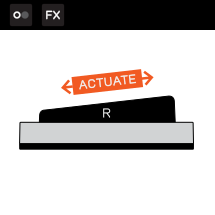
actuate the right button up and down to modulate the frequency of the auto wah.
6.2.7
ag
chorus on/off
press the left button to turn the chorus on or off.
chorus rate
force-press the top of the left button to modulate the chorus rate and depth.
tap tempo
tap the right button to set the delay tempo.
delay feedback
force-press the top of the right button to modulate the delay feedback and mix.
6.2.8
b
tap tempo
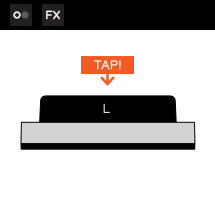
tap the left button to set the tremolo’s tempo.
tremolo amount
force-press the top of the left button to modulate the tremolo amount.
tone
force-press the top of the right button to modulate the tone.
6.3
mic
mic fx
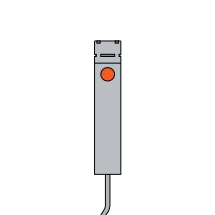
when in the fx mode with the mic channel selected, the two buttons on kopedal will control two parameters within the current mic fx on EP-35.
6.3.1
clean
delay on/off
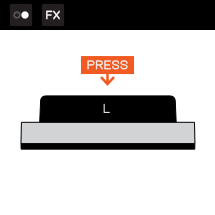
press the left button to turn the delay on or off.
reverb size
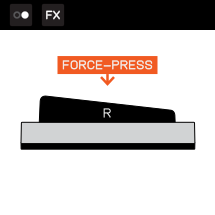
force-press the top of the right button to modulate the reverb size and its mix value.
6.3.2
radio
delay on/off
press the left button to turn the delay on or off.
delay feedback
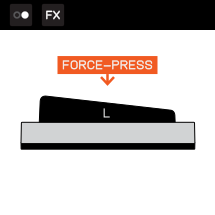
force-press the top of the left button to modulate the delay feedback.
drive on/off
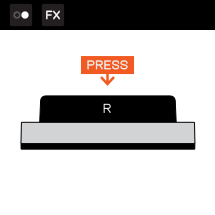
press the right button to turn the drive on or off.
6.3.3
pop
chorus on/off
press the left button to turn the chorus on or off.
tap tempo
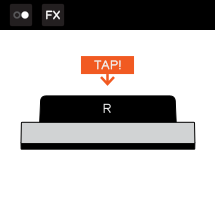
tap the right button to set the delay tempo.
delay feedback
force-press the top of the right button to modulate the delay feedback and mix.
6.3.4
rock
phaser on/off
press the left button to turn the phaser on or off.
tap tempo
tap the right button to set the tempo for the chopper effect.
chopper and delay
force-press the top of the right button to modulate the chopper effect and delay level.
6.3.5
bass synth
phaser
force-press the top of the left button to modulate the phaser rate and mix.
formant and octave
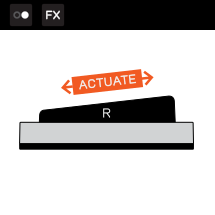
actuate the right button up and down to modulate the formant and octave.
6.3.6
robo choir
tap tempo
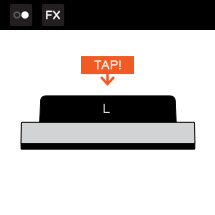
tap the left button to set the delay tempo.
delay
force-press the top of the left button to modulate the delay mix.
formant and detune
actuate the right button up and down to modulate the formant and detune.
6.3.7
frog
filter
force-press the top of the left button to modulate the filter cutoff.
reverb
force-press the top of the right button to modulate the reverb size.
6.3.8
megaphone
tap tempo
tap the left button to set the delay tempo.
delay and filter
force-press the top of the left button to modulate the delay amount and filter.
filter
force-press the top of the right button to modulate the filter.
((7))
using midi state with another device
when in the midi state (selected with the switch inside the battery compartment) kopedal can also connect to a midi host device and act as a midi controller.
7.1
wireless connection to your device
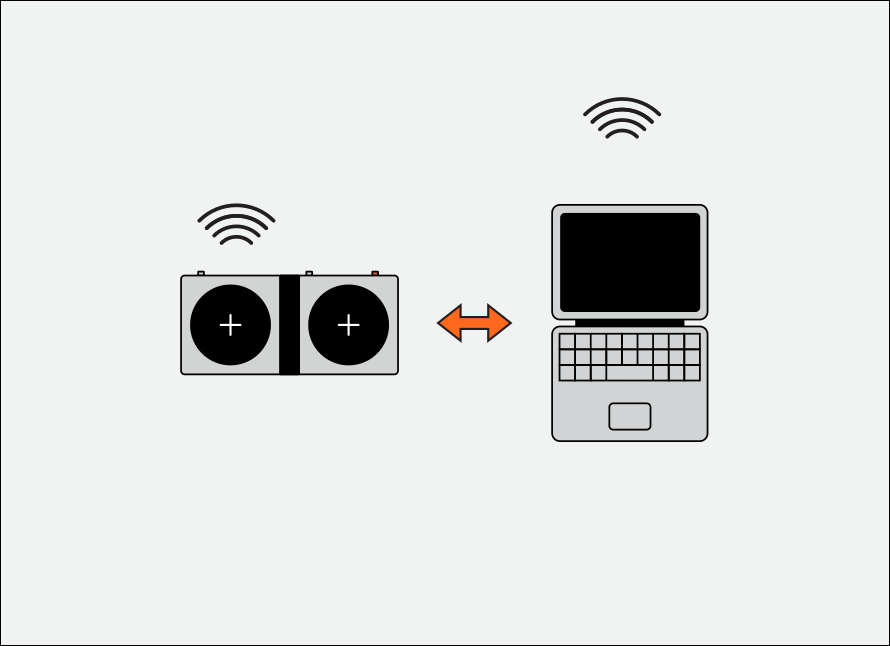
power on
to connect kopedal to another device over a wireless connection, first power on kopedal.
activate bluetooth
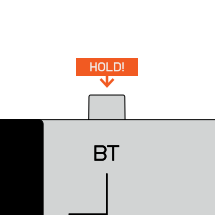
hold the BT button down until the two circles on screen pulsate.
connected
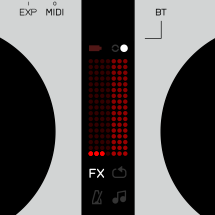
once connected, one of the white circles on the screen will light up.
7.2
wired connection to your device
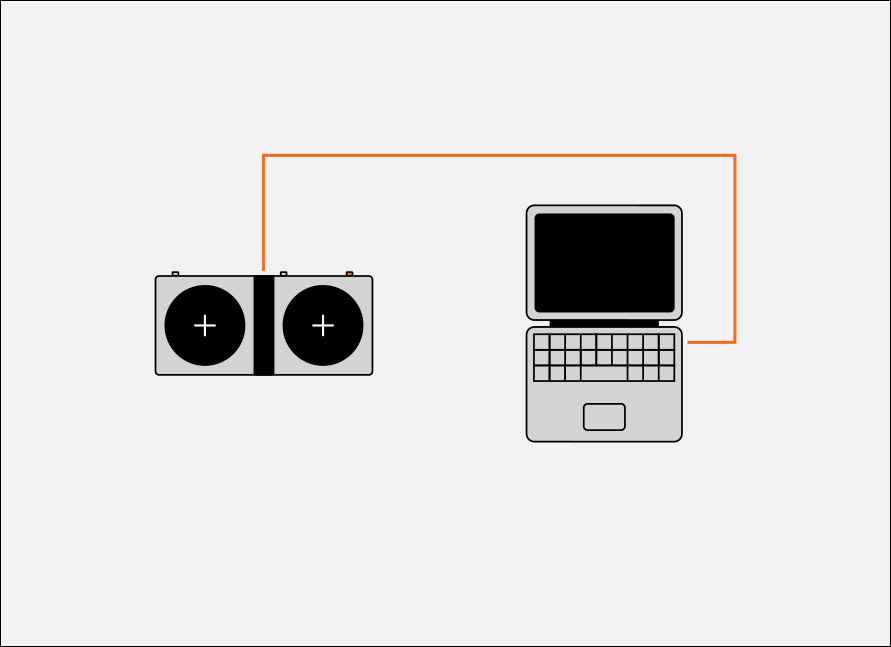
uSB–C
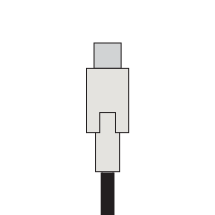
to connect kopedal over a wired connection, plug one end of a usb–c cable into the chosen device and the other end into the usb–c port on the top of kopedal.
connected
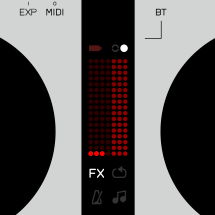
once connected, one of the white circles on the screen will light up.
7.3
using kopedal as a midi device
modes

when connected as a midi device, the four modes become four different control styles, split over two channels. select the channel by pressing the BT button.
midi output
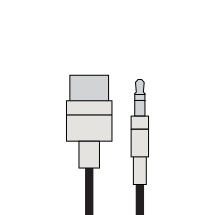
the fx mode becomes two effect control CCs, the looper mode becomes two general purpose momentary ccs, the metronome mode becomes a clock out and the music playback mode becomes a mod wheel and sustain pedal.
a full midi output reference can be found in chapter 10.
a full midi output reference can be found in chapter 10.
((8))
using hid state
when in the hid state (selected with the switch inside the battery compartment) kopedal will act as a computer keyboard with a few pre-programmed functions.
if you have engaged HID state, kopedal will not pair with EP-35. to use kopedal with EP-35 the midi state should be used.
8.1
wireless connection to your device
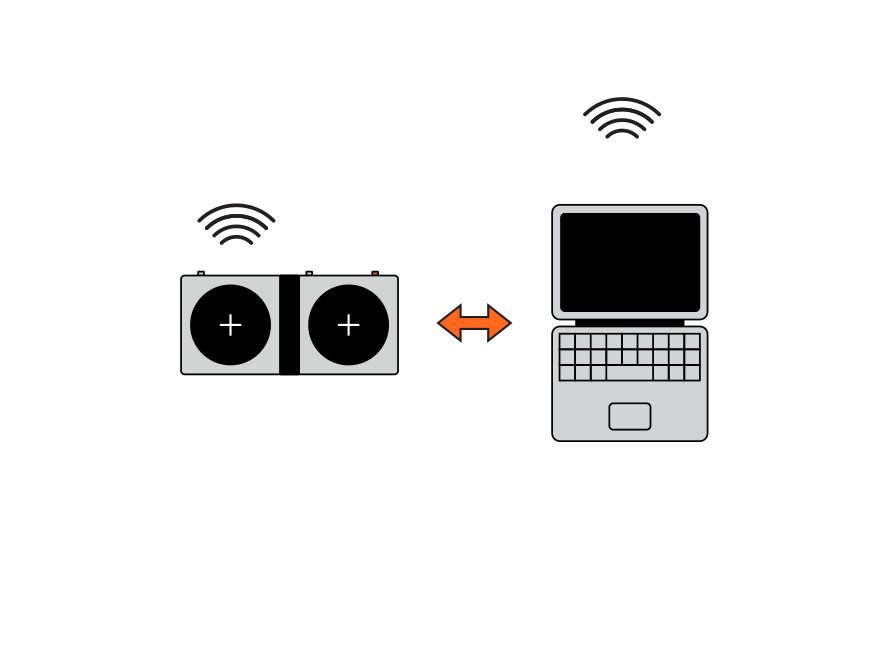
power on
to connect kopedal over a wireless connection, first turn on kopedal.
activate bluetooth
hold the BT button down until the two circles on screen pulsate. Kopedal will appear in your device’s bluetooth settings as “EP-127-hid”.
connected
once kopedal pairs with your device one of the white circles on the screen will light up.
8.2
wired connection to your device
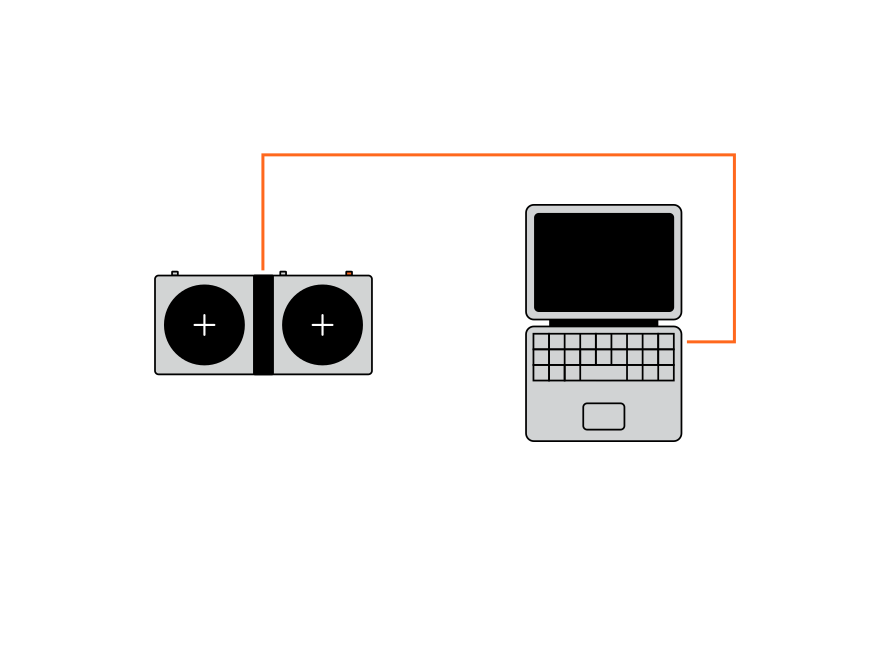
uSB–C
to connect kopedal over a wired connection, plug one end of a usb–c cable into the chosen device and the other end into the usb–c port on the top of kopedal.
connected
once connected, one of the white circles on the screen will light up.
8.3
using kopedal as a HID device
left arrow
pressing the left button will send a left arrow ← keystroke to your connected device.
right arrow
pressing the right button will send a right arrow → keystroke to your connected device.
m key
pressing and holding the left button will send an ‘m’ keystroke to your connected device.
space bar
pressing and holding the right button will send a space bar keystroke to your connected device.
((9))
updating kopedal
it is important to keep your kopedal up to date with the latest firmware. follow the instructions below to update your kopedal.
power on
power on your kopedal.
connect
connect one end of a usb–C cable to the usb–c port on kopedal. connect the other end to your computer.
web update utility
open the web update utility with chrome or firefox, other browsers do not support web midi and will not work.
follow the instructions on screen to update your kopedal.
follow the instructions on screen to update your kopedal.
make sure EP-35 is powered off before updating. if kopedal is connected to EP–35 it will not allow for simultaneous usb connection with a computer.
((10))
midi output reference
when using kopedal in midi state with another device, it will output a variety of midi messages, a full list is documented below.
mode
control/interaction
channel
cc/range
fx
left button / force-press
1/2
12 / 0-127
fx
right button / force-press
1/2
13 / 0-127
loop
left button / press
1/2
82 / 0|127
loop
right button / press
1/2
83 / 0|127
metronome
right button / press
1/2
clock / start|stop
music playback
left button / force-press
1/2
1 / 0-127
music playback
right button / force-press
1/2
64 / 0|127
((11))
technical specifications
physical specifications
dimensions: 176 mm x 84 mm x 26 mm
weight: 0.2 kg
materials: pc/abs, pc, silicone rubber
dimensions: 176 mm x 84 mm x 26 mm
weight: 0.2 kg
materials: pc/abs, pc, silicone rubber
connectivity
usb-c (power, midi out, hid)
bluetooth le (midi, hid)
expression pedal input, 3.5 mm (1/8") trs
midi out, 3.5 mm (1/8") trs
usb-c (power, midi out, hid)
bluetooth le (midi, hid)
expression pedal input, 3.5 mm (1/8") trs
midi out, 3.5 mm (1/8") trs
power
2x AAA batteries
usb-c 5V/0.5A
battery life
20h playtime, 1 month standby
2x AAA batteries
usb-c 5V/0.5A
battery life
20h playtime, 1 month standby
two player game
congratulations on making it through the whole EP–127 kopedal guide, as a reward please enjoy the secret two player game!
start game
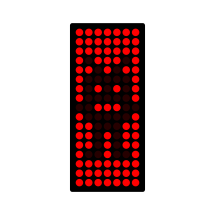
hold the mode button while powering on kopedal to launch into the two player game.
ready
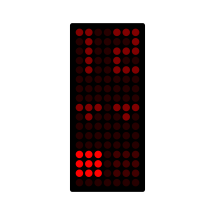
each player must press their button to confirm they are ready to start.
play
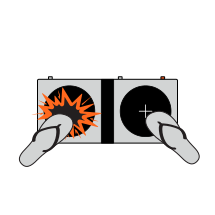
rapidly press the left (for player 1) and right (for player 2) buttons. whoever reaches the end first is the winner.
((12))
credits

beta testers
brandon withrow
djcuvcuv (chris covney)
lane wills
matthew williams
ÖzUm Itez