EP/BC–1

compact disc
digital pro
digital pro
user
guide
guide
ver 1.0.3
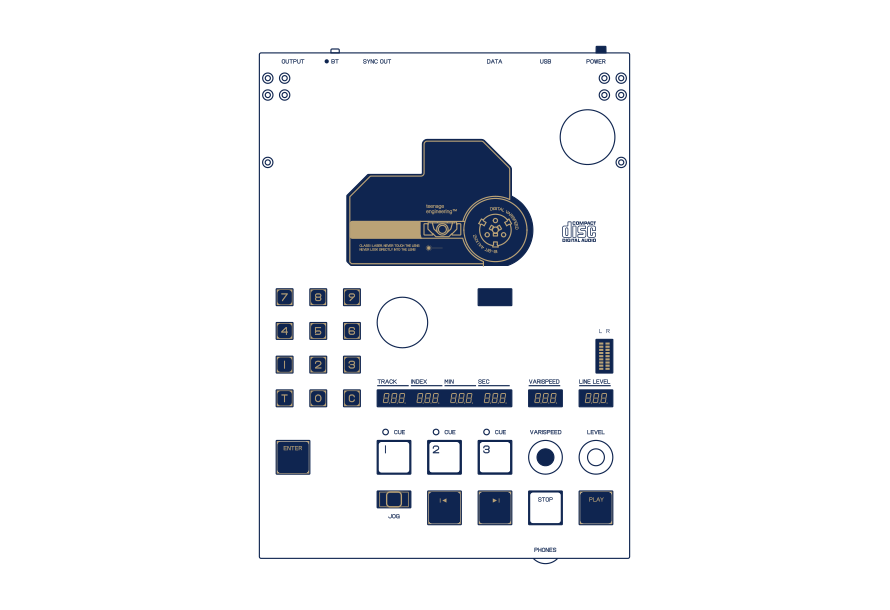


BC–1 is a professional compact disc digital audio player. it features a jog stick for easy scrubbing, varispeed for speed adjustment, a main audio output, a headphones audio output and bluetooth.
record your cds to a usb drive, connect BC–1 to your computer to record from BC–1 directly into your computer and use the sync output to sync your music gear to audio from your cds.
notice. read this first.
DISCLAIMER
when sampling copyrighted material, the authors approval is needed before anything is published. to prevent possible hearing damage, do not listen at high sound levels for long periods. although teenage engineering will use all reasonable endeavors to ensure the accuracy and reliability of this product, neither teenage engineering nor any third party supplier will be liable for any loss or damage in connection with the sale or use of the product except for: a) personal injury caused by our negligence or that of our employees or agents when acting in the course of their employment with ourselves and; b) any other direct loss or damage accused by our gross negligence or willful misconduct
all express or implied conditions, warranties or undertakings (other than conditions, warranties or undertakings expressly stated, or implied by statute and which cannot be excluded), whether oral or in writing, including warranties as to satisfactory quality and fitness for a particular purpose, are excluded.
when sampling copyrighted material, the authors approval is needed before anything is published. to prevent possible hearing damage, do not listen at high sound levels for long periods. although teenage engineering will use all reasonable endeavors to ensure the accuracy and reliability of this product, neither teenage engineering nor any third party supplier will be liable for any loss or damage in connection with the sale or use of the product except for: a) personal injury caused by our negligence or that of our employees or agents when acting in the course of their employment with ourselves and; b) any other direct loss or damage accused by our gross negligence or willful misconduct
all express or implied conditions, warranties or undertakings (other than conditions, warranties or undertakings expressly stated, or implied by statute and which cannot be excluded), whether oral or in writing, including warranties as to satisfactory quality and fitness for a particular purpose, are excluded.
CAUTION
replacement of a battery with an incorrect type can defeat a safeguard;
disposal of a battery into fire or a hot oven, or mechanically crushing or cutting of a battery, that can result in an explosion.
leaving a battery in an extremely high temperature surrounding environment that can result in an explosion or the leakage of flammable liquid or gas; and
a battery subjected to extremely low air pressure that may result in an explosion or the leakage of flammable liquid or gas.
the battery inside the product may contain substances harmful to the environment. when disposing of the device, ensure the process complies with local environmental/electronic recycling guidelines.
replacement of a battery with an incorrect type can defeat a safeguard;
disposal of a battery into fire or a hot oven, or mechanically crushing or cutting of a battery, that can result in an explosion.
leaving a battery in an extremely high temperature surrounding environment that can result in an explosion or the leakage of flammable liquid or gas; and
a battery subjected to extremely low air pressure that may result in an explosion or the leakage of flammable liquid or gas.
the battery inside the product may contain substances harmful to the environment. when disposing of the device, ensure the process complies with local environmental/electronic recycling guidelines.
WARNING
BC–1 is classified as a class 1 laser product in accordance with the IEC 60825-1 international standard. do not open the protective housing or defeat the safety interlocks, as this will expose you to hazardous class 3b invisible laser radiation. avoid direct exposure to the beam.
to clean BC–1 optical lens, turn off the unit and gently blow away dust and carefully wipe the lens using a tightly wound cotton swab slightly dampened with high-purity isopropyl alcohol.
only use usb power, such as that from the usb ports of a computer, or by using a dedicated usb-if compliant charger. battery replacement and charging should be performed by adults or under close adult supervision.
BC–1 is classified as a class 1 laser product in accordance with the IEC 60825-1 international standard. do not open the protective housing or defeat the safety interlocks, as this will expose you to hazardous class 3b invisible laser radiation. avoid direct exposure to the beam.
to clean BC–1 optical lens, turn off the unit and gently blow away dust and carefully wipe the lens using a tightly wound cotton swab slightly dampened with high-purity isopropyl alcohol.
only use usb power, such as that from the usb ports of a computer, or by using a dedicated usb-if compliant charger. battery replacement and charging should be performed by adults or under close adult supervision.
intellectual property rights
this product contains intellectual property right material (the “material") owned by teenage engineering.
protected material
the material within this product includes, but is not limited to, samples, sound files, style data, accompaniment patterns, phrase data, audio loops, and image data.
permitted usage
you are permitted to use the material in the creation, performance, recording, and distribution of your own original creation.
prohibited usage
you are prohibited from redistributing, reselling, leasing, sharing, reproducing, or publicly displaying the material in its original or modified form, including through online platforms, public performances, broadcasts, or as part of derivative works, unless it is substantially transformed into an original creation.
the material within this product includes, but is not limited to, samples, sound files, style data, accompaniment patterns, phrase data, audio loops, and image data.
permitted usage
you are permitted to use the material in the creation, performance, recording, and distribution of your own original creation.
prohibited usage
you are prohibited from redistributing, reselling, leasing, sharing, reproducing, or publicly displaying the material in its original or modified form, including through online platforms, public performances, broadcasts, or as part of derivative works, unless it is substantially transformed into an original creation.
respect for third-party copyrights
you are responsible for ensuring that your use of the product does not infringe on any third-party copyrights. teenage engineering assumes no liability for any copyright infringements that result from the use of this product.
protected trademarks
teenage engineering holds all rights to its registered trademarks.
you are responsible for ensuring that your use of the product does not infringe on any third-party copyrights. teenage engineering assumes no liability for any copyright infringements that result from the use of this product.
protected trademarks
teenage engineering holds all rights to its registered trademarks.
what's in the box
check that the following items
are included when you open the box
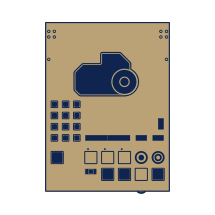
eP/BC–1
quick start guide

utility compact disc

cd sleeve
index
click on the section you
want to read more about

power on
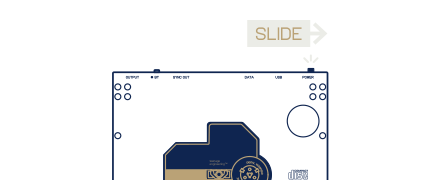
to get started playing a cd on your BC–1 professional cd player, first power the device on.
place disc
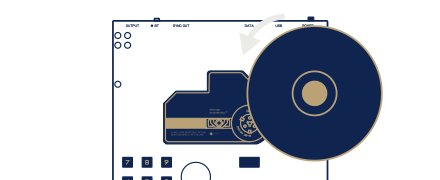
gently place a disc onto the spindle.
audio out
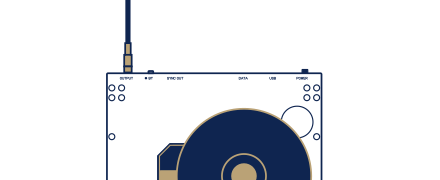
plug a speaker into the OUTPUT jack on the top of the player, or headphones into the PHONES jack on the bottom.
to use Bluetooth, put your speaker or headphones in pairing mode, then press and hold BT on the player until it connects.
to use Bluetooth, put your speaker or headphones in pairing mode, then press and hold BT on the player until it connects.
play

press (play) to start playback of the disc.
volume

gradually increase the level to the desired volume. if listening with headphones, adjust the volume from the phones level on the bottom of the device.
pause
press (play) during playback to pause.
skip
press the (prev) and (next) buttons to skip forwards or backwards between tracks.
jog stick

for more precise adjustments move the jog stick left or right to search through the current track.
stop / reset
press (stop) to stop playback. press (stop) again to reset the disc to the start of the first track.
track and time
the current track and time can be seen on the led display.
line level

the volume for the main output can be seen on the line level led display.
signal level

the live audio level can be seen on the vu meter.
((2))
hardware overview
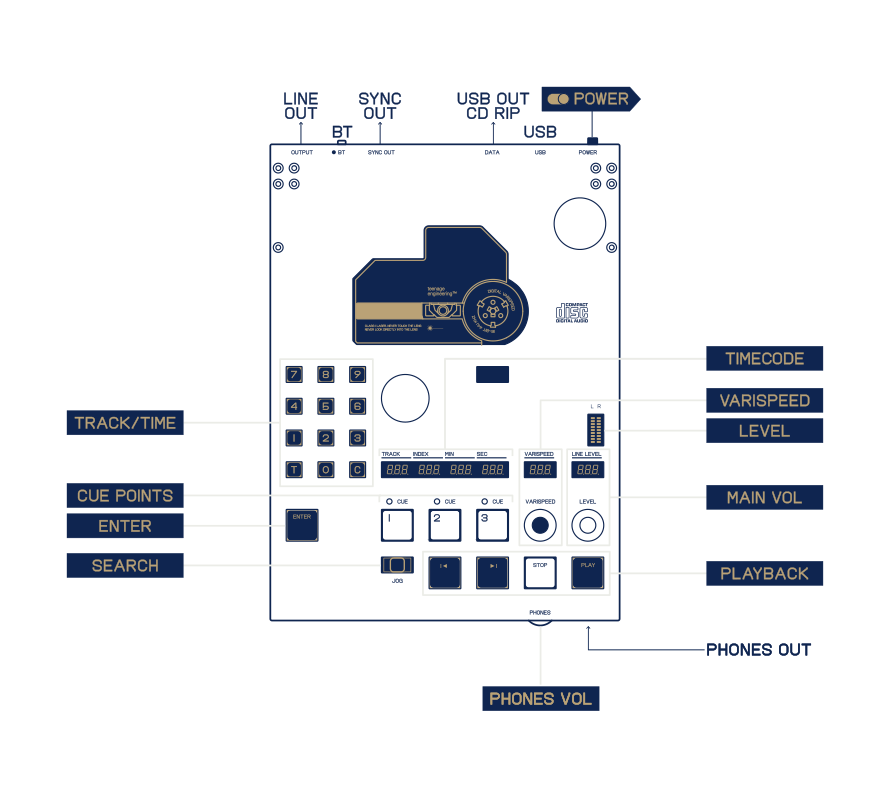
output example
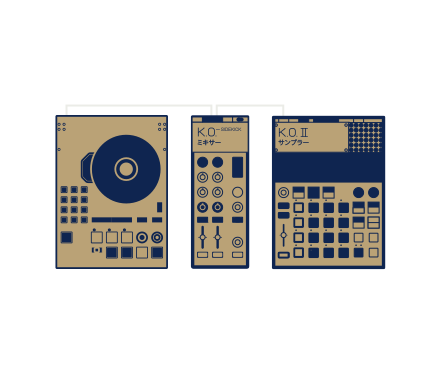
connect a BC–1 and a ko2 into the stereo inputs of kosidekick for a ones and twos style setup, perfect for live performance.
ep series™ compatible
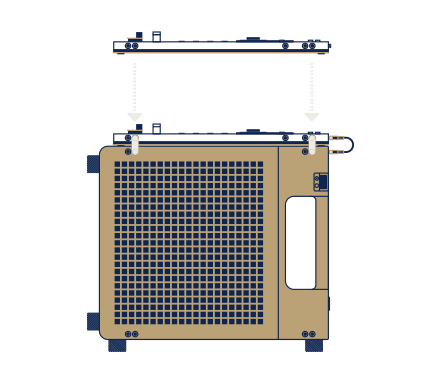
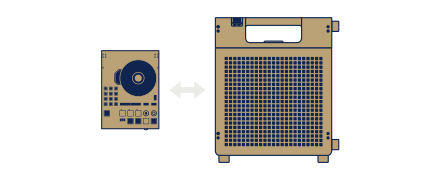
mount your bc–1 professional cd player to EP–35 with the k.o. dock kit.
((3))
power and charging
power on
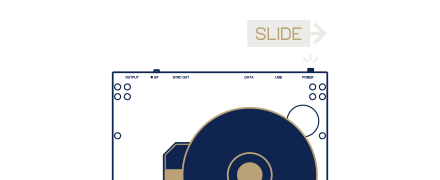
to power on your BC–1 slide the orange power switch to the right. it will power on immediately and the led displays will light up.
charging
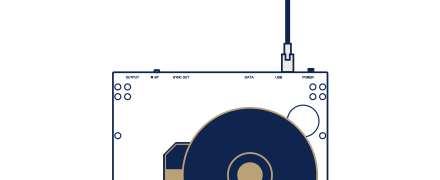
BC–1 has a built-in rechargeable battery. to charge it, connect a usb power source to the usb port on the top of the unit. the data port does not support charging.
5V / 1A
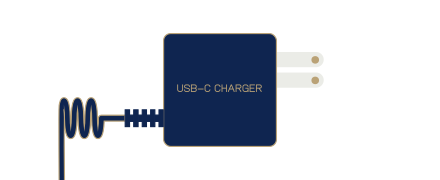
BC–1 supports up to 5V / 1A of power. when supplied at full power, BC–1 will charge in 2 hours.
BATTERY LIFE

when fully charged and playing back non stop, BC–1 will hold its charge for approximately 6 hours.
check battery level
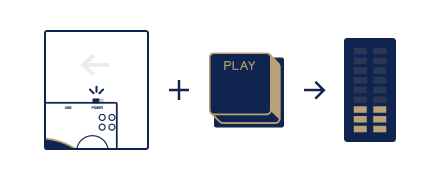
to check the battery level while charging, power BC–1 off and press (play). the vu meter will show the current battery level.
auto power off

if BC–1 is left powered on for 5min with the playback stopped, it will shut down to preserve battery. wake it up by pressing (play), or flip the power switch.
((4))
playback
play/pause
press (play) to start playback. press (play) again to pause playback.
stop
press (stop) to stop playback.
varispeed

rotate the varispeed knob to speed up or slow down playback between 50% and 150%. the speed can be seen on the varispeed lcd display.
repeat

while playing, hold enter and press (next) to set the repeat mode (one track/complete disc/off). BC–1 will then repeat the selected portion indefinitely.
((5))
navigation
5.1
the numpad
the numpad allows you to set a track number and precise time value for playback.
ideal when you have an exact track or moment in mind.
track/time

press (time) to switch between track, minute and second.
set
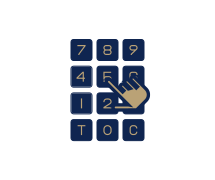
type the desired value with the numpad.
display
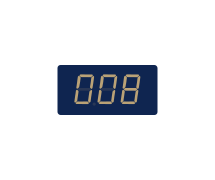
set a track and a time value before confirming to jump to the exact point you need.
confirm

press (enter) to confirm and commence playback from the selected track/time.
cancel

if you make a mistake or just wish to cancel your selection press (Cancel) to cancel.
5.2
the jog stick
the jog stick allows for quick scrubbing through your CD.
it has a range of scrub speeds, 2x, 4x, and 8x, that increase as you move the jog further left or right.
jog stick
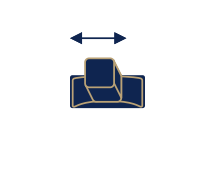
move the jog stick left or right to scrub back or forwards through the cd.
5.3
skip
for quickly switching to the next or previous track, use the (prev) and (next) buttons.
previous track

press the (prev) button to skip to the previous track.
next track

press the (next) button to skip to the next track.
((6))
cue markers
BC–1 has three cue markers per cd. cue markers allow you to easily jump to a predefined position in a track.
cue markers for the last 40 CDs will be memorised by BC–1.
the markers are only overwritten when new markers are created.
cue markers will not play instantaneously.
set a cue marker

press one of the three cue buttons to set a marker at the current playback position. when a marker is stored the corresponding LED will be lit.
play from cue

set cue markers during CD playback to jump back to the specific cue at any given time.
remove cue marker
hold down a lit cue button to remove its stored position. the led will turn off when it has been removed.
((7))
bluetooth
7.1
connecting a new device
scan
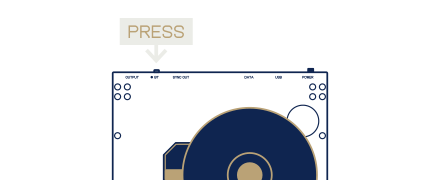
when first connecting BC–1 to your bluetooth speaker or headphones press and hold the bt button to scan for nearby devices. when scanning for devices the led will blink blue.
pair
put your speaker or headphones into bluetooth pairing mode and hold them near BC–1. they should find each other and connect automatically. when BC–1 is connecting to a device the led will be solid blue and once connected the led will turn white.
wrong device
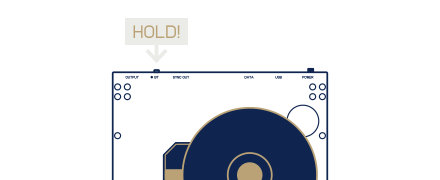
if BC–1 connects to the wrong device, press and hold the bt button once again to disconnect from the device and scan for another.
disconnect
when connected to a device, press the BT button once to disconnect from the device.
7.2
pairing to an existing device
connect
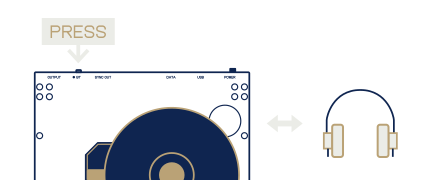
press the bt button to connect to a previously paired speaker or headphones.
disconnect
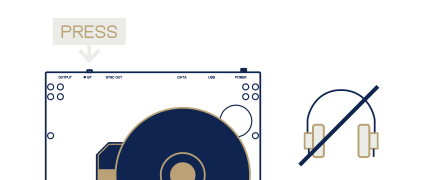
when connected to a device, press the BT button once to disconnect from the device.
7.3
function when connected
volume

to adjust the volume when connected to a bluetooth device, rotate the level knob.
output disabled
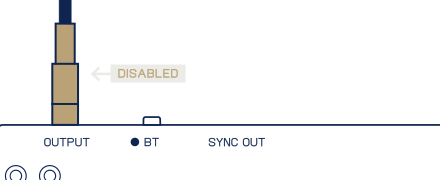
when connected to a bluetooth device, BC–1 will not play through the main line output.
7.4
broadcast mode
broadcast mode allows you to connect to any auracast supported device.
broadcast mode
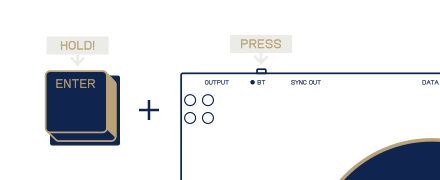
hold (enter) and press the bt button to enter broadcast mode and connect to auracast compatible devices. the bt led will turn red.
exit broadcast
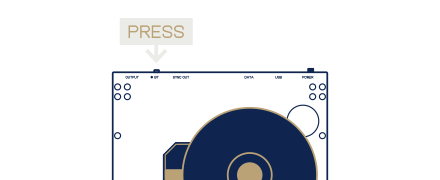
press the bt button to exit auracast streaming mode.
you can set an auracast password to allow only devices with the same preconfigured password to pair when in broadcast mode.
this can be configured in the web update utility's settings page.
((8))
sync output
use the beat detection sync output to sync your music gear to the current audio coming from the cd.
the bpm of the current track is detected on every beat, for accurate, continuous sync.
sync output
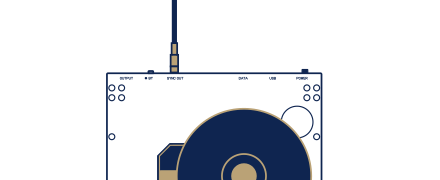
connect a 3.5mm trs cable from the sync output to whatever gear you want to sync.
sync rate
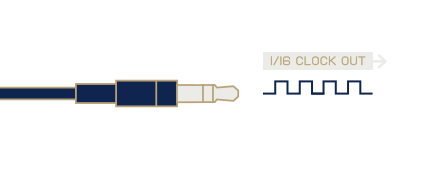
the sync output sends a 1/16 clock pulse on the tip and the reset (play/stop) on the ring of the connected cable.
start sync output
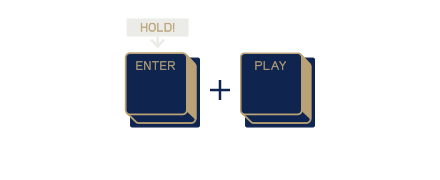
hold (enter) and press (play) to start the sync output.
stop sync output
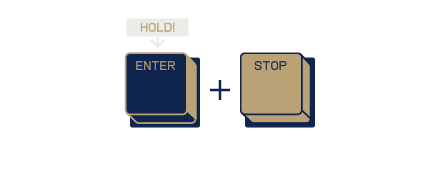
hold (enter) and press (STOP) to stop the sync output.
bpm and confidence
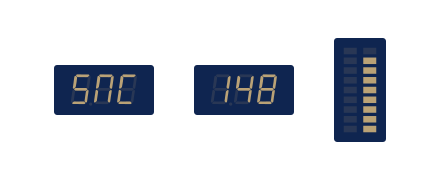
the detected bpm and confidence level is shown on the display.
tap tempo
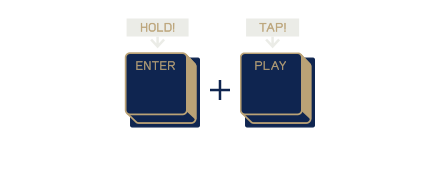
hold (enter) and tap (play) or (stop) to tap the tempo and adjust the detected tempo.
((9))
cd ripping
with BC–1 you can rip (save) the audio from a cd to a usb drive or computer.
if you are using the data port with a usb drive, it should be formatted with the fat32 file system and be a maximum of 32gb.
when using a usb drive for ripping, the audio files created will be stored as 44.1 khz 16-bit stereo wav files.
connecting BC–1 to a computer for direct recording will also allow you to record at 44.1kHz 16–bit.
usb drive
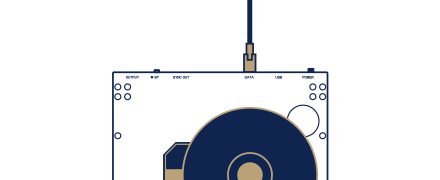
connect a usb drive to the data port on BC–1.
start recording
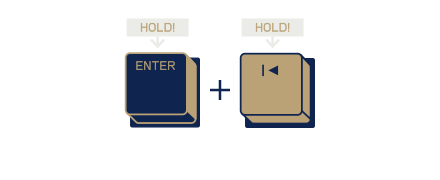
while a track is playing, hold (enter) and (PREV) to start recording the current track to the attached usb drive.
stop recording
press (stop) to stop recording to the attached usb drive and continue normal playback.
recording directly into your computer
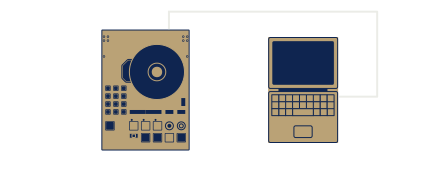
to record audio from BC–1 directly into your computer, connect a USB–c cable between the usb port on BC–1 and the USB port on your computer.
BC–1 will show up as an audio input device. you can then record the audio coming into your computer with any recording software.
BC–1 will show up as an audio input device. you can then record the audio coming into your computer with any recording software.
((10))
playing back cd-roms
BC–1 supports regular cds (compact disc digital audio) as well as mp3 files stored on cd-roms.
index display
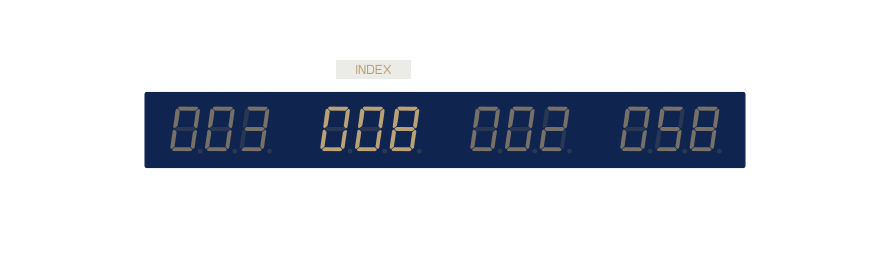
when playing an mp3 file from a cd-rom, the index display will show the folder number that the mp3 is stored in.
NoTE:
cue markers for mp3 files will not be stored in BC–1’s memory.
cue markers for mp3 files will not be stored in BC–1’s memory.
((11))
midi
BC–1 listens to incoming midi on channel 1. a breakdown of the received midi messages and what they control can be found below.
message
range
channel
function
cc 23
on / off
1
start playback
cc 24
on / off
1
stop playback
cc 25
on / off
1
next track
cc 26
on / off
1
previous track
off = 0-63
on = 64-127
on = 64-127
((12))
updating your BC–1
it is important to keep your BC–1 up to date with the latest firmware. follow the instructions below to update your BC–1.
power on
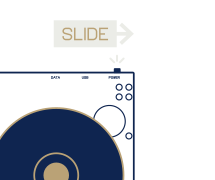
power on your BC–1.
connect

connect one end of a usb–C cable to the usb port on BC–1. connect the other end to your computer.
web update utility

open the web update utility with a browser that supports web midi, for example chrome or firefox.
follow the instructions on screen to update your BC–1.
follow the instructions on screen to update your BC–1.
((13))
technical specifications
audio outputs2 x 3.5mm stereo jacks
(main/phones)
1 Vrms
SNR 100 dBA
usb device portcharging
audio/midi interface
44.1kHz 16-bit
usb data portmass storage host
(main/phones)
1 Vrms
SNR 100 dBA
usb device portcharging
audio/midi interface
44.1kHz 16-bit
usb data portmass storage host
batteryLi-ion 3.7V 2000 mAh
play time 6h
charge time 2h
bluetootha2dp audio streaming le broadcast (auracast)
play time 6h
charge time 2h
bluetootha2dp audio streaming le broadcast (auracast)
beat detectionsync-16 output
3.5mm jack
led display7-segment 18 characters
vu meters 2x9 bars
3.5mm jack
led display7-segment 18 characters
vu meters 2x9 bars
((14))
BC–1 UTILITY DISC TRACKS
01
02
03
04
05
06
07
08
09
10
02
03
04
05
06
07
08
09
10
ep/BC–1
intro
ep/BC–1
audio calibration
francesco torelli
bakery plans
.ONE
GODMODE
phatness
ur 2 late
evil lennstrand
gluestick
kenoni
semi neutral grade
j.kofot
pianotrak
william gunning
liquid 50
tomahaWk
özkan's theme
intro
ep/BC–1
audio calibration
francesco torelli
bakery plans
.ONE
GODMODE
phatness
ur 2 late
evil lennstrand
gluestick
kenoni
semi neutral grade
j.kofot
pianotrak
william gunning
liquid 50
tomahaWk
özkan's theme
11
12
13
14
15
16
17
18
19
20
12
13
14
15
16
17
18
19
20
abudi
untitled
cola ren
riot on the hush
eegl
all was this
linus åkesson
a mind is born
dtest
p-link
trensum tribe
reinforcement dub
jonas sella
00%!
j blomster
aldrig framme
cola ren
baraka
shimmer
dance on me
untitled
cola ren
riot on the hush
eegl
all was this
linus åkesson
a mind is born
dtest
p-link
trensum tribe
reinforcement dub
jonas sella
00%!
j blomster
aldrig framme
cola ren
baraka
shimmer
dance on me
21
22
23
24
25
26
27
28
29
22
23
24
25
26
27
28
29
jess k feat. khat
en av de sämre dagarna
stenius soundsystems
heatsink
mopzart
office hours
gridrunner
optivoid
j.kofot
gargamel's revenge
sond
anita if u see this msg me u have my number
inomhouse
avocado
phatness
ginger plant
sond
en liten plats
en av de sämre dagarna
stenius soundsystems
heatsink
mopzart
office hours
gridrunner
optivoid
j.kofot
gargamel's revenge
sond
anita if u see this msg me u have my number
inomhouse
avocado
phatness
ginger plant
sond
en liten plats